
Everyday cybersecurity relies on a set of practical habits that protect personal and professional data from theft, loss, or fraudulent use. In its review of application data breaches, CERT-FR notes that infecting a personal device with an infostealer can lead to the theft of credentials used on other services, including email and work accounts. A single incident on one device can compromise multiple accounts.
Passkeys and authentication: securing your login is no longer enough
Passwords remain the first line of defense, but managing them presents a structural problem. Reusing the same password across multiple services is like handing out one key to dozens of different doors. If one gives way, they all open.
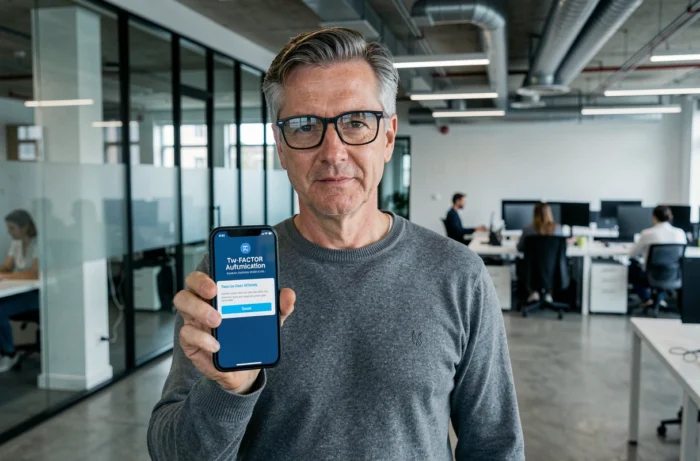
Passkeys offer a technical solution to this vulnerability. Recommended by CERT-FR for consumer accounts, this authentication method eliminates password entry, replacing it with biometric verification or a code linked to the device. This has two advantages: no shared secret is transmitted over the network, and conventional phishing attacks become ineffective.
CERT-FR highlights a less obvious point: enrolling a passkey and recovering lost credentials must be secured just as carefully as authentication itself. In other words, an account protected by a passkey may still be vulnerable if its recovery process relies on a simple text message or a poorly protected email address. Additional resources on digital risk awareness are available at https://www.cyberspass.fr.
Lost phone or compromised account: recovery procedures as the weak link
Losing a phone or having an account hacked sets off a race against time. Most users discover at that point that the recovery options they have (or haven’t) set up determine what happens next.
Lock it before recovering access
The first thing to do after losing a device is lock it remotely using the system’s built-in features (location tracking and locking on Android or iOS). Immediately changing the passwords for critical accounts (email, banking, social media) from another device prevents someone else from exploiting sessions that are still open.
The pitfalls of security questions and text messages
Some services still offer account recovery through security questions. A mother’s maiden name or a pet’s name can easily be found on social media. Recovery procedures are often less secure than everyday login methods, making them a prime target for attackers.
SMS authentication, still widely used as a second factor or recovery method, has known vulnerabilities (interception, SIM swapping). Using a two-factor authentication app or a physical security key reduces this risk.
- Check the recovery options currently set up for each sensitive account (primary email, bank, cloud storage)
- Replace security questions with random answers stored in a password manager
- Disable SMS recovery when the service offers a more robust alternative (TOTP app, security key)
- Keep the backup codes generated when enabling two-factor authentication in a safe place, separate from your primary device
Storage and retention periods: reduce your exposure
Data protection doesn’t end when you log in. CERT-FR recommends limiting access to data, protecting storage media, and deleting information that is no longer needed. Individuals often overlook this last step.
An online service account that has been inactive for years may still contain banking details, copies of identity documents, or conversation histories. If the service suffers a data breach, this old information may be exposed without its owner being notified right away.
Review your data regularly
Deleting an unused account takes just a few minutes. The security benefit is tangible: less stored data means fewer potential consequences if an account is compromised. The same principle applies to files kept in personal cloud storage. Sensitive documents (bank statements, payslips, identity documents) should be stored in encrypted storage rather than in a folder that is accessible by default.
On a computer, an unencrypted drive can be read by anyone with physical access to the machine. Enabling full-disk encryption (BitLocker on Windows, FileVault on macOS) protects files even if the device is stolen.
Updates and software hygiene: patch known vulnerabilities
Software updates fix security vulnerabilities that have already been identified and may already be under attack. Putting off an update for several weeks is like leaving open a door whose existence has been publicly documented.
This applies to operating systems, browsers, mobile apps, and browser extensions. An outdated extension can provide a gateway to browsing data, saved passwords, or session cookies.
- Enable automatic updates on all devices wherever the option is available
- Uninstall unused apps and extensions rather than leaving them dormant
- Periodically review the permissions granted to mobile apps (access to the microphone, location, and contacts)
CERT-FR also warns that infecting a personal device with an infostealer can compromise credentials used for work services. A shared family computer on which a teenager installs unverified software can become an entry point to a parent’s work account.
Everyday cybersecurity doesn’t depend on a single tool, but on a combination of consistent habits. Passkeys secure logins, encryption protects stored data, and updates patch vulnerabilities. The weakest link is often the one we think of last: an account recovery process set up once and never checked again.