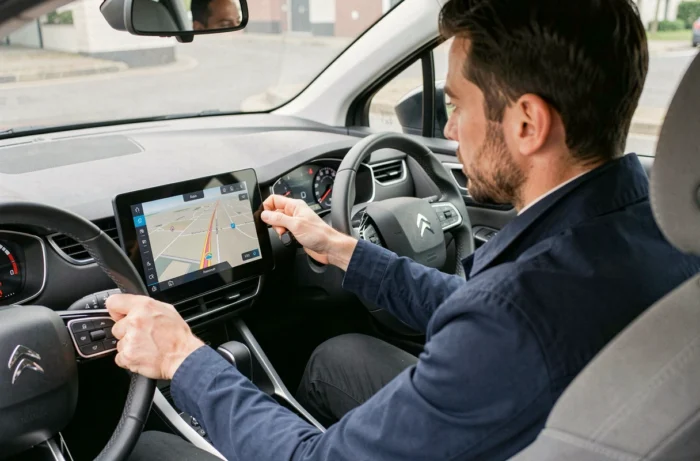
Your Citroën C4’s GPS sends you to a roundabout that disappeared two years ago, or fails to recognize a recently built motorway exit. Before paying for new maps, it’s worth knowing that some updates are available free of charge, depending on your vehicle’s generation and the multimedia system it’s equipped with. You’ll need to download the right file, though, because map data and multimedia software are two separate updates.
Identify your Citroën C4’s multimedia system before updating
Not all Citroën C4 models use the same navigation system. Depending on the year of registration and trim level, your vehicle may be equipped with an eMyWay, SMEG, SMEG+IV or NAC system, or the latest connected display introduced with the 2020 generation. Each system uses its own map and software files.
Downloading a file intended for an NAC system onto a SMEG system will, at best, trigger an error message and, at worst, temporarily freeze the screen. Before looking for an update, make a note of your system’s exact name. You’ll find it in the touchscreen’s “Settings” menu, under “Version” or “About”.
Have you noticed that the Citroën download portal asks for your VIN? That’s no mere formality. Your VIN helps filter files compatible with your vehicle and prevents version errors. Find it on your registration document (field E) or at the bottom of the windshield on the driver’s side.
If you’d like to explore the available options, getting a free Citroën C4 GPS update starts with accurately identifying your vehicle’s multimedia system.

Citroën map or GPS software: which update should you download?
It’s easy to confuse a map update with a software update. Map updates cover the road maps stored in the system, including new roads, changes to traffic directions and added points of interest. Software updates, on the other hand, improve how the interface works, such as route calculation speed, display stability and compatibility with certain accessories.
An outdated map cannot be fixed with a software update, and vice versa. Citroën clearly distinguishes between the two on its support page, and the download portal offers separate files.
How to tell if your maps are out of date
Start a route to a recently added location in your area, such as a new supermarket or a motorway interchange that has changed in recent years. If the GPS doesn’t recognize it or suggests an illogical route, your maps need updating.
Check your multimedia software version
In your screen’s system menu, the “Software version” section displays a number. Compare it with the latest version available for your VIN on the Citroën portal. If the numbers match, your software is already up to date.
Free update eligibility and limitations by C4 model
Free Citroën GPS updates aren’t available to everyone. Eligibility depends on the navigation system installed and, in some cases, the vehicle’s age. Newer vehicles often include a period of free map updates at the time of purchase, though the duration varies.
Why the difference? Newer connected systems (NAC and later generations) can receive updates over Wi-Fi or through the MyCitroën app. Older systems (eMyWay, SMEG) require you to download files to a USB drive from the dedicated portal, and some maps are chargeable once the free update period has expired.
Check the following before starting the download:
- The country selected on the download portal must match your vehicle’s market. A portal set to “Morocco” won’t offer the same files as one set to “France”.
- The MyCitroën app complements the built-in navigation with certain connected services, but it doesn’t replace map updates for the integrated GPS system.
- A used C4 may have already reached the end of its free update period: the clock starts with the first registration, not the date of resale.
How to install a GPS update on a Citroën C4
Once you’ve identified the right file, follow the installation procedure carefully. Cutting corners can interrupt the process and mean a trip to the dealership.
- Format a USB drive as FAT32 (most new drives are already formatted this way). Check the Citroën portal for the minimum capacity, as European map files take up several gigabytes.
- Download the file from the official Citroën portal after entering your VIN. Don’t rename the downloaded folder or change the file structure.
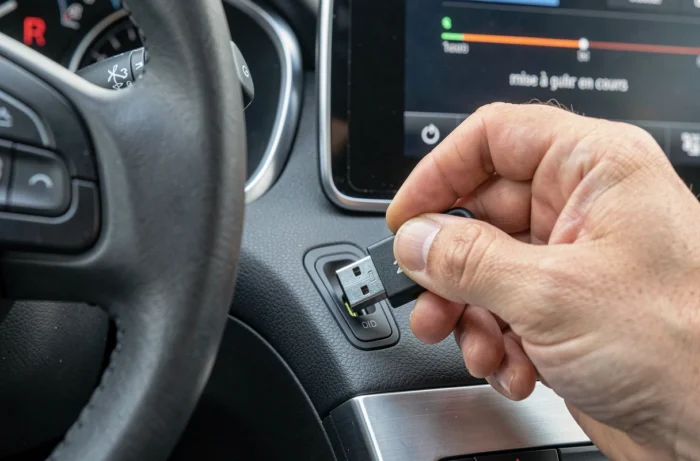
- Insert the USB drive into the designated port (usually in the center console). Start the engine and leave it running throughout the installation.
- Never switch off the ignition during the update. Depending on the amount of data, the process can take anywhere from a few minutes to over an hour.
- Once complete, the system will restart automatically. Check the version shown in the settings to confirm that the installation was successful.
What to do if the screen freezes during installation
A temporary freeze can occur on SMEG systems. Wait at least ten minutes before taking any action. If the screen remains frozen, press and hold the reset button (often accessible through a small hole using a paper clip) to restart the system without losing data that has already been installed.
On NAC systems, restarting the vehicle is usually enough to resume the process where it left off.
Updating the GPS on a Citroën C4 doesn’t require any particular technical skills or special tools. The key is correctly identifying your multimedia system and finding the corresponding file. Check your VIN and installed version before downloading anything to avoid most of the problems users report on forums.